Automated Analysis
Get EXPLAIN-based analysis and index suggestions for slow queries you can act on immediately.
wp plugin install wp-multitool --activate
Find what's slowing your WordPress. Fix it.
Get Lifetime Access — $50Stop juggling optimization plugins. Enable what you need, ignore what you don't.
Get EXPLAIN-based analysis and index suggestions for slow queries you can act on immediately.
Enable only the tools you need. Each module works independently.
All operations include capability checks, nonce verification, and input sanitization.
Query analysis runs in the background. Your site stays fast while we work.
Enable only what you need. Each module works independently.
Bloated autoload options slow every single request. This module finds unused ones and removes them safely. Most sites see 100KB-2MB less memory per page load — that's noticeably faster.

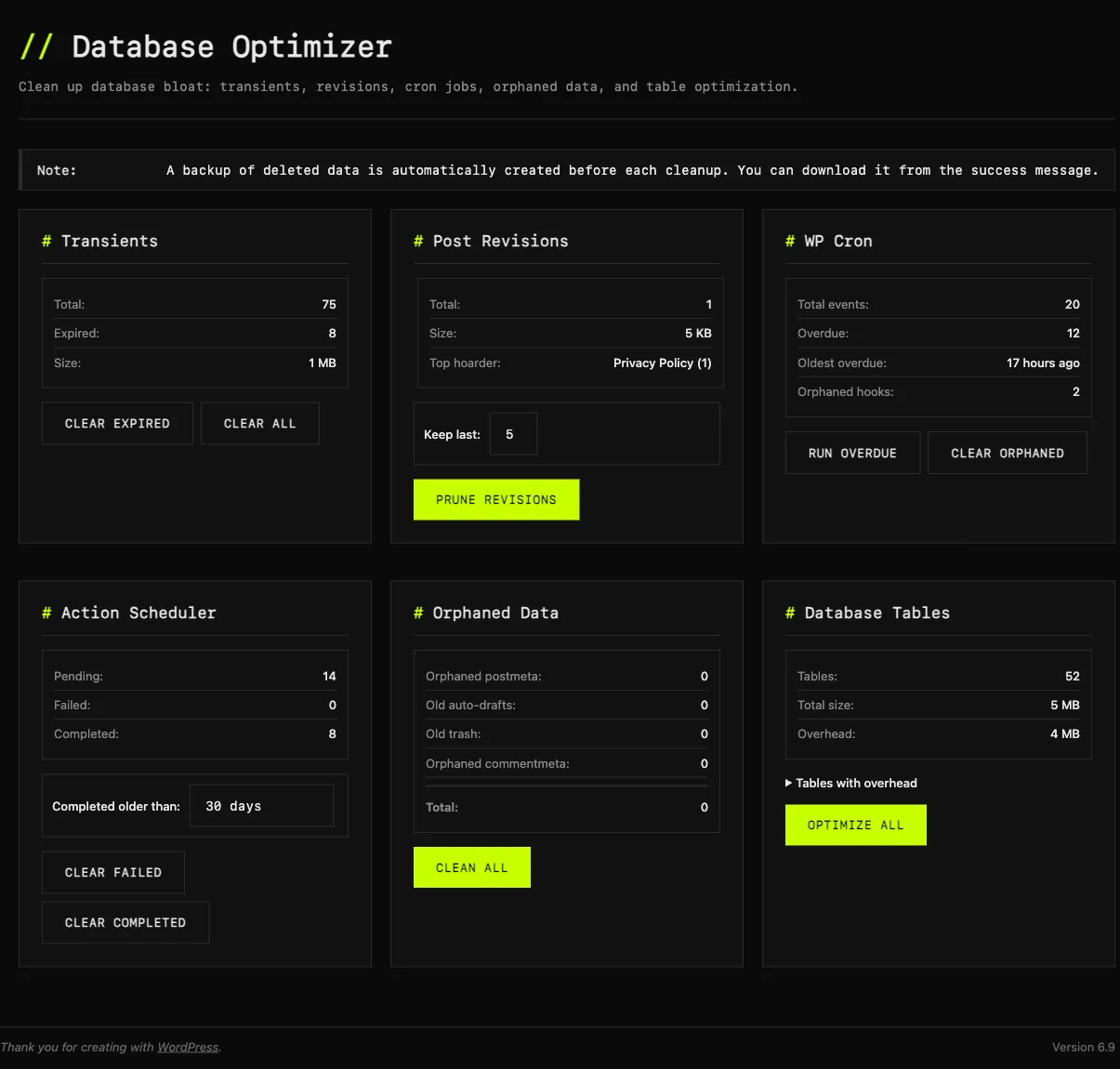
Post revisions pile up. Spam accumulates. Transients expire but stick around. One click shows exactly how much space you'll recover. Auto-backup included, so you can clean without fear.
Defer JavaScript, remove emoji scripts, disable XML-RPC, clean wp_head output, add security headers. Each toggle explained. No guessing what's safe.

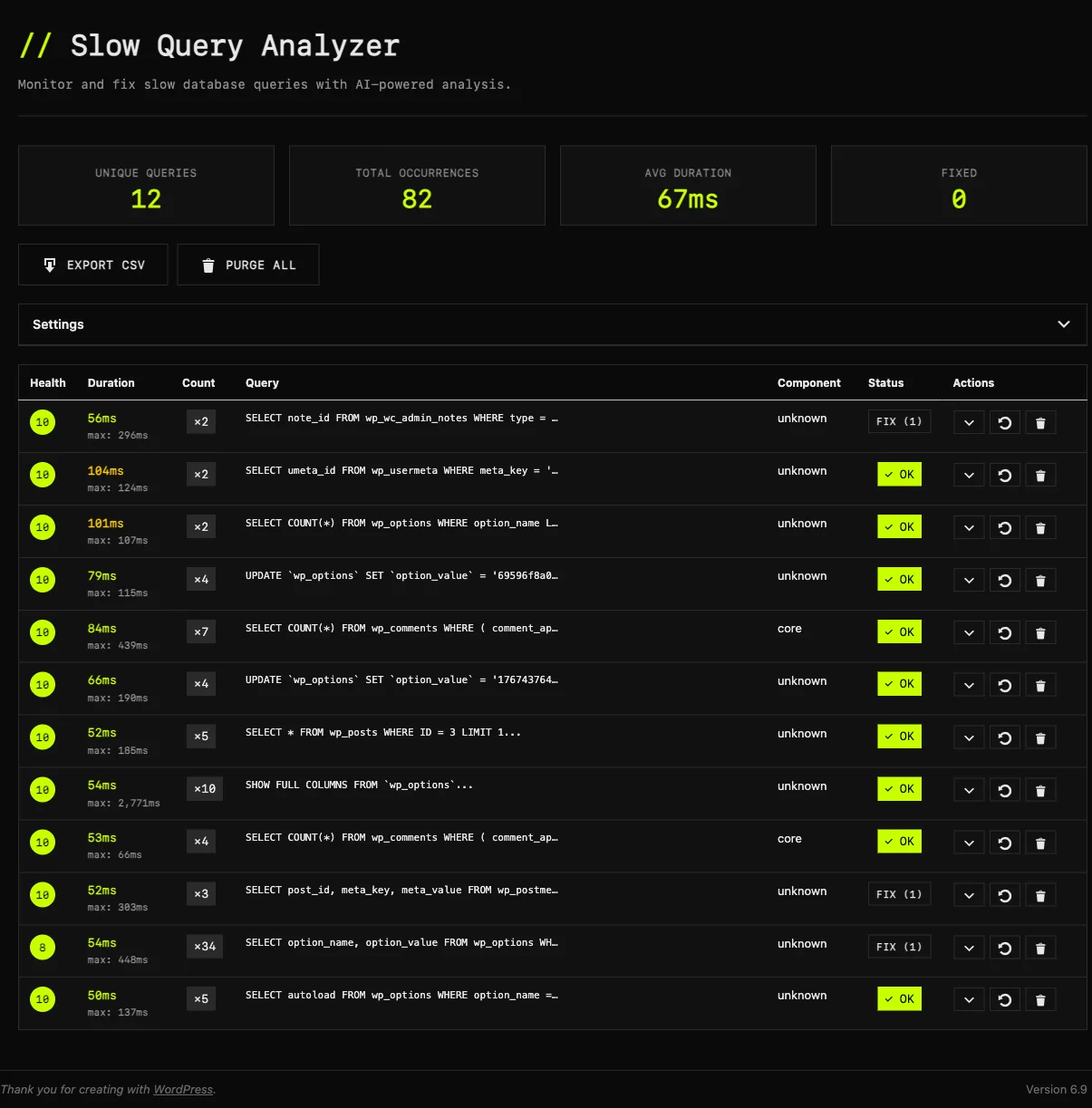
See every database query ranked by speed. Automatically detects problems, runs EXPLAIN analysis, and tells you exactly which index to add. Works with WooCommerce, ACF, and any plugin.
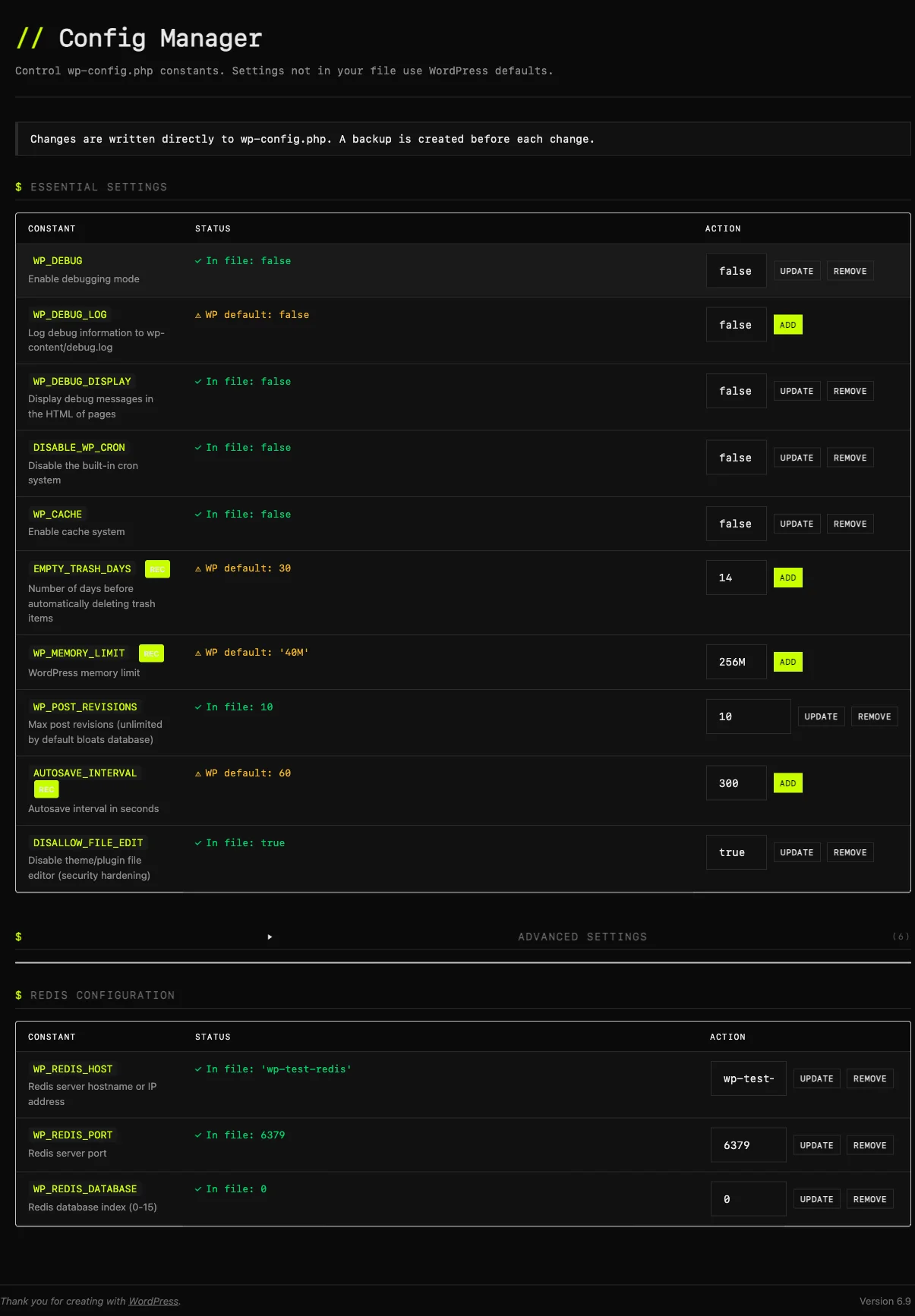
Toggle WP_DEBUG, set memory limits, configure caching — all through a visual interface. Auto-backup before every change. Syntax validation so you never break your site.
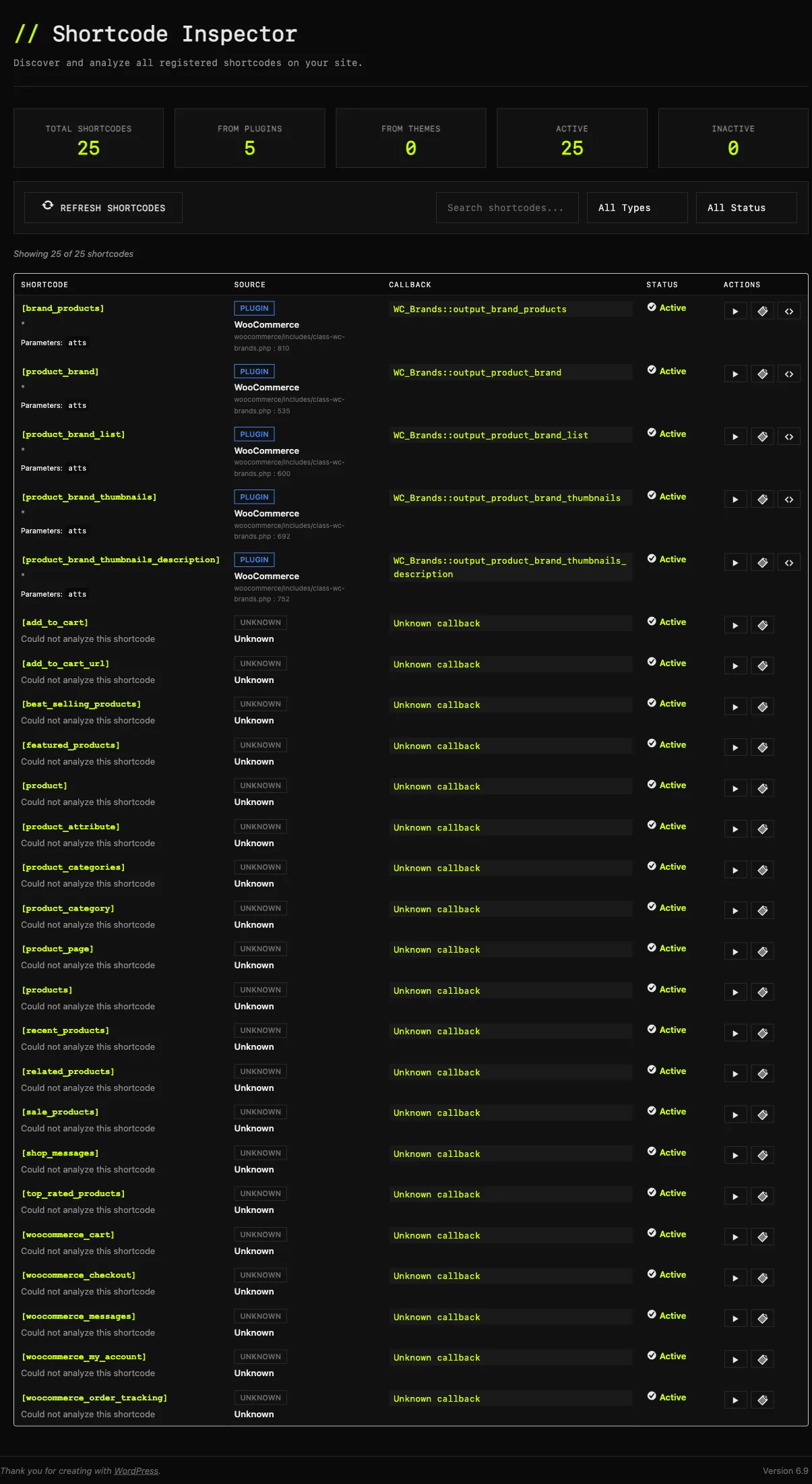
See every shortcode registered on your site. Instantly know which plugin or theme added it. Test shortcode output without switching pages.
See your server stack at a glance: PHP version, memory limits, database stats, HTTP/2 status, Redis availability. Get actionable recommendations to improve performance.
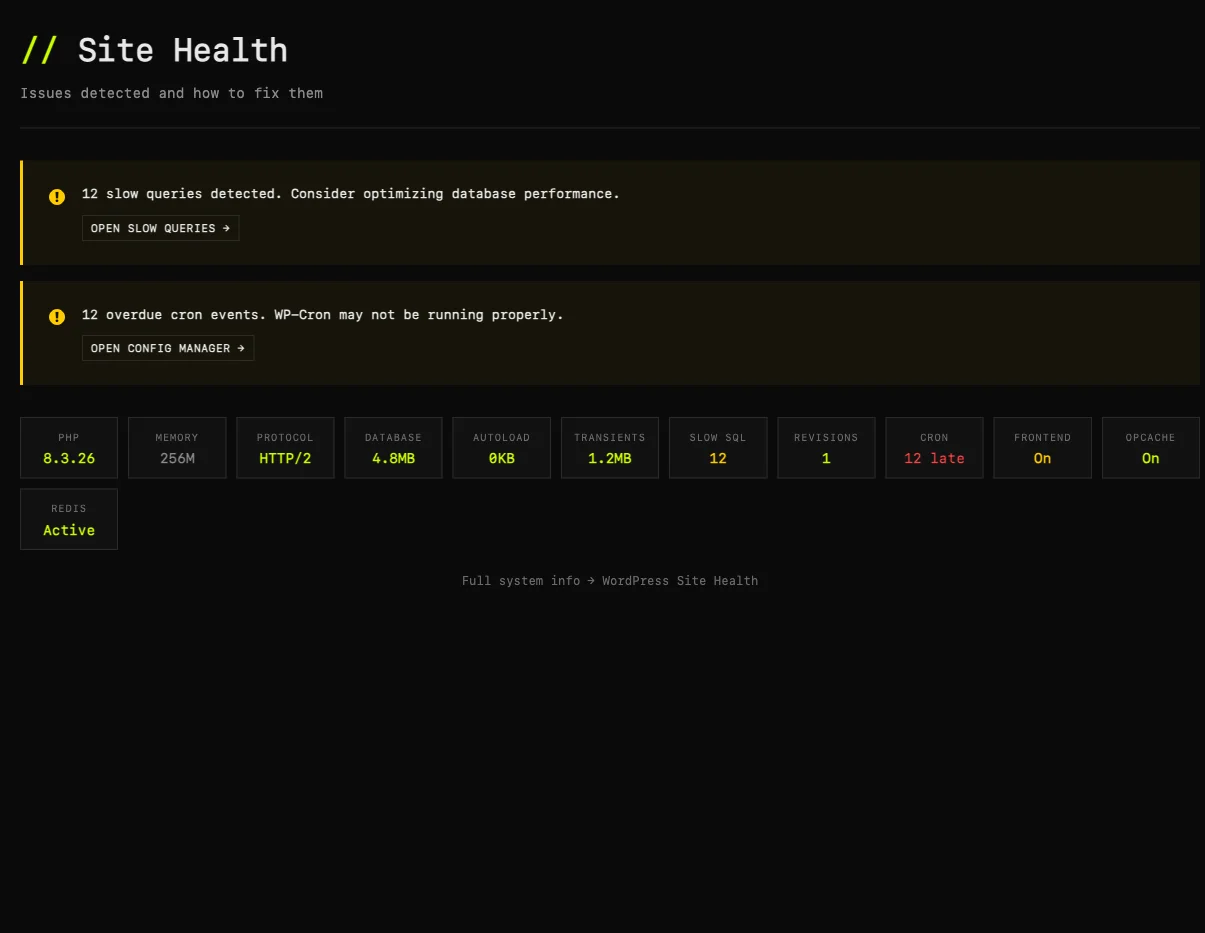
See all registered image sizes, disable ones you don't need, create custom sizes. Regenerate specific sizes without touching the rest. Save disk space.
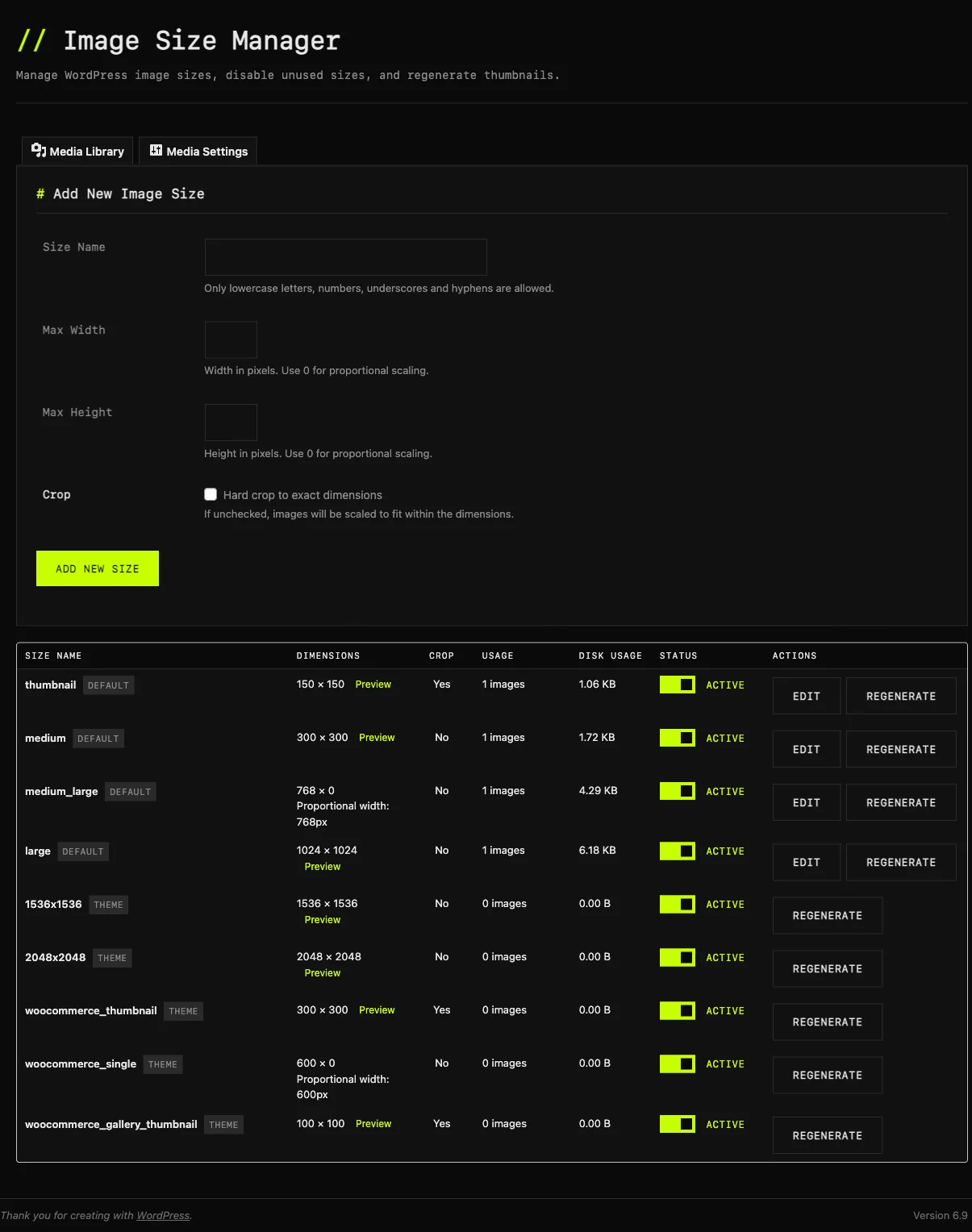
Hide annoying dashboard widgets with one click. Disable core widgets, plugin widgets, or theme widgets. Keep your WordPress dashboard clean and focused.
Allows users to download plugins and themes as zip archives directly from the site.
Upgrade to the full version for all modules
Enables drag-and-drop plugin updates directly from ZIP files on the Plugins list.
Adds a quick reactivation option to plugins list for easy troubleshooting.
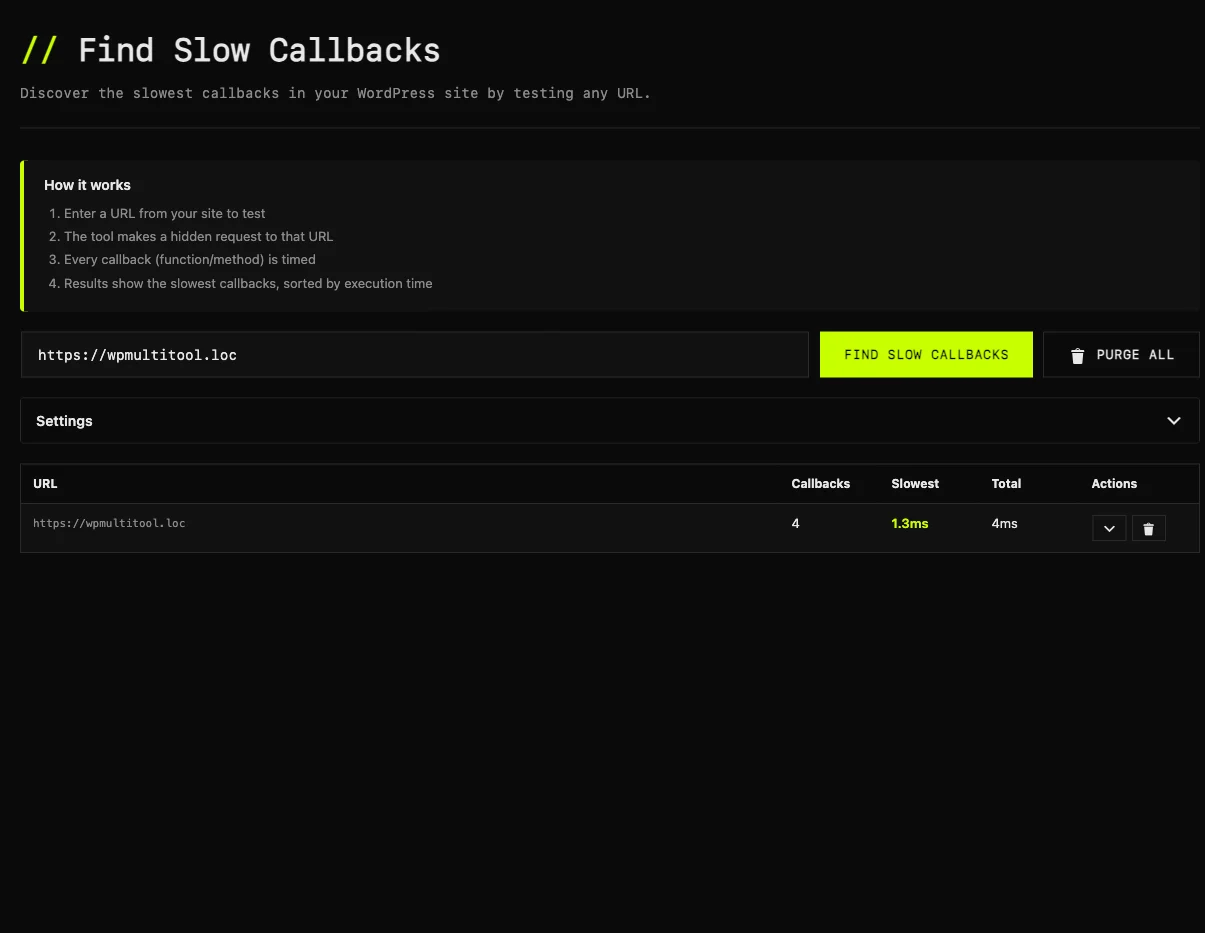
Profile any page to find the slowest hooks and callbacks. Identifies which plugins or themes are slowing down each request. Perfect for troubleshooting performance issues.
"As a developer, I hate when a tested plugin throws a critical error and I cannot access the database to fix it. Or when I am editing a live theme nervously waiting for something to crash. Multitool's auto-restore gave me confidence back."Maria — WordPress Developer
"I built it because optimization tools focused on the frontend instead of the backend. It does not matter if you load minified JS/CSS if your server takes 16s to answer."Marcin — Creator
"There won't be any refund, because the plugin does exactly what it says it does. I've already tested it on two websites, with visible results."Bojan Popovic
Different tools for different problems. Here's where WP Multitool fits.
| Feature | WP Multitool | Query Monitor | WP Rocket | Perfmatters |
|---|---|---|---|---|
| Price | $50 once | Free | $59/year | $25/year |
| Focus | Backend/Server | Dev debugging | Frontend/Cache | Frontend |
| Slow query detection | ✓+ EXPLAIN analysis | ✓ | ✗ | ✗ |
| Index suggestions | ✓Automated | ✗ | ✗ | ✗ |
| Autoload optimizer | ✓remove bloat | ✗ | ✗ | ✓ |
| Fatal error recovery | ✓auto-restore | ✗ | ✗ | ✗ |
| wp-config editor | ✓safe GUI | ✗ | ✗ | ✗ |
| Frontend optimization | ⚡partial (bloat removal, defer scripts) | ✗ | ✓ | ✓ |
| Best for | Diagnosing WHY it's slow | Developers debugging | Speed + caching | Asset cleanup |
Use WP Rocket for caching. Use Multitool to find why you need caching.
Deep-dive guides on the WordPress backend problems we solve.
Why frontend optimization isn't enough. TTFB benchmarks, common causes, and how to diagnose what's actually slow.
Find the queries adding seconds to every page load. WooCommerce JOINs, unindexed meta lookups, and how to fix them.
Your wp_options table silently slows every request. How to audit autoloaded data and what safe thresholds look like.
Why wp-admin feels like dial-up. Admin-ajax bottlenecks, heartbeat overhead, and how to pinpoint the culprit.
Most developers spend $150+/year on optimization plugins. WP Multitool is $50. Once. Forever.
Common questions, straight answers.
EXPLAIN and rule-based pattern matching to analyze queries, not an external LLM. Your wp-config.php, credentials, and all other data stay on your server. Zero external API calls.