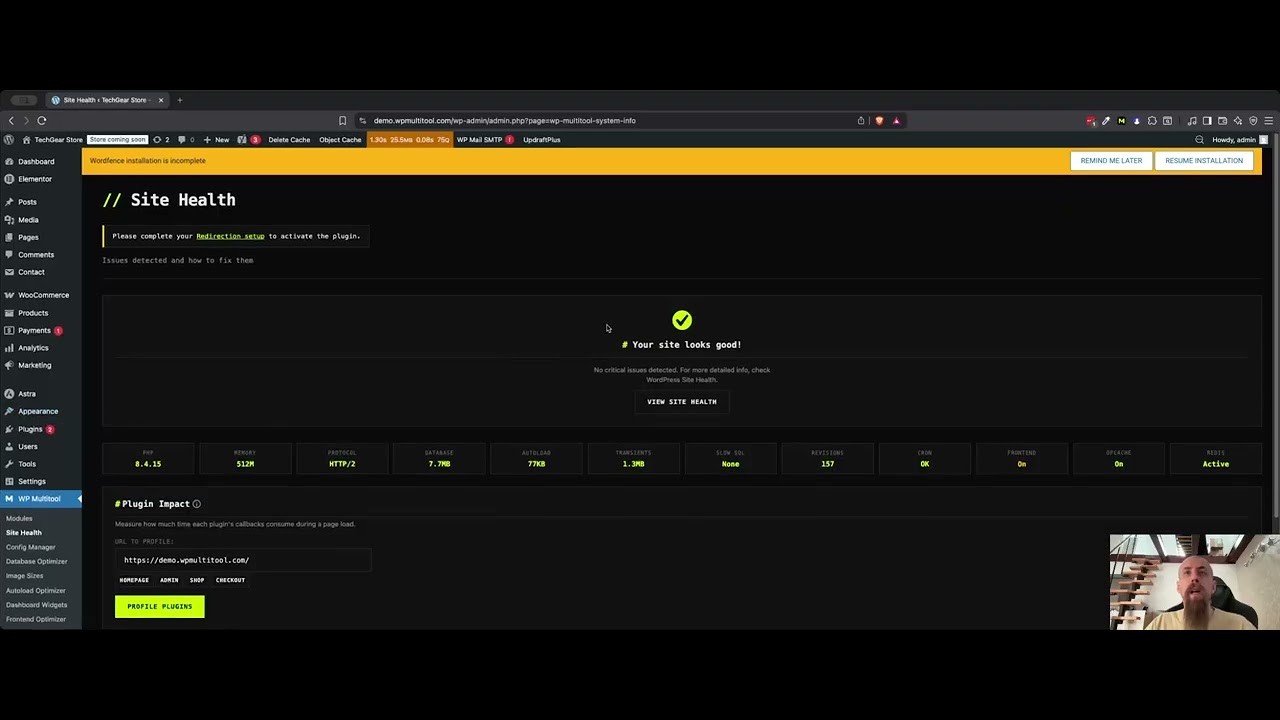
Automated Analysis
Get EXPLAIN-based analysis and index suggestions for slow queries you can act on immediately.
wp plugin install wp-multitool --activate
14 tools in one plugin. Find what's slow - and why.
Fix My Slow Site - $199/year Not sure yet? Scan your site for free →“From 442ms to 38ms — this has been a great great improvement.”— Gaurav Tiwari · Query time: 442ms → 38ms
“A flawless, stable, and secure plugin. Websites run incomparably faster, and page loading after optimization is instant.”— MDN · 5★ on Trustpilot
Stop juggling optimization plugins. Enable what you need, ignore what you don't.
Get EXPLAIN-based analysis and index suggestions for slow queries you can act on immediately.
Enable only the tools you need. Each module works independently.
All operations include capability checks, nonce verification, and input sanitization.
Query analysis runs in the background. Your site stays fast while we work.
Enable only what you need. Each module works independently.
Cut page load time by 0.5-2 seconds
Edit wp-config.php without the terror
Control and customize WordPress dashboard widgets.
Reclaim 500MB+ of wasted database space
One-click speed optimizations
Control and customize WordPress image sizes with ease.
Allows users to download plugins and themes as zip archives directly from the site.
See which plugins slow your site — powered by makewpfast.com benchmarks
Enables drag-and-drop plugin updates directly from ZIP files on the Plugins list.
Adds a quick reactivation option to plugins list for easy troubleshooting.
A quick way to find and test shortcodes.
Discover the slowest callbacks in your WordPress site by testing any URL.
Find slow queries without learning SQL
Check your server configuration and infrastructure
"As a developer, I hate when a tested plugin throws a critical error and I cannot access the database to fix it. Or when I am editing a live theme nervously waiting for something to crash. Multitool's auto-restore gave me confidence back."Maria — WordPress Developer
"There won't be any refund, because the plugin does exactly what it says it does. I've already tested it on two websites, with visible results."Bojan Popovic
"I like it a lot it helps to find problems with caching 503 errors and it is easy to setup the WP config. It is really helpful."Peter — Kyzoe.be
"From 442ms to 38ms - this has been a great great improvement."Gaurav Tiwari — WordPress Developer
"I just bought the plugin. It's very easy to use and the improvements can be applied fast. I'm very happy, already tested it on two sites. Thanks for a great plugin."camilobuitrago — Reddit user
"WP Multitool makes it easy to get some quick ideas on site optimisation and helps to identify some potential problems. The analysis of slow database queries in particular is very insightful."Peter — Founder
"Super professional plugin. A must on all sites now."António Almeida — WordPress | A11y | AI & Automation
Different tools for different problems. Here's where WP Multitool fits.
| Feature | WP Multitool | Query Monitor | WP Rocket | Perfmatters |
|---|---|---|---|---|
| Price | From $199/yr | Free | $59/year | $25/year |
| Focus | Backend/Server | Dev debugging | Frontend/Cache | Frontend |
| Slow query detection | ✓+ EXPLAIN analysis | ✓ | ✗ | ✗ |
| Index suggestions | ✓Automated | ✗ | ✗ | ✗ |
| Autoload optimizer | ✓remove bloat | ✗ | ✗ | ✓ |
| Fatal error recovery | ✓auto-restore | ✗ | ✗ | ✗ |
| wp-config editor | ✓safe GUI | ✗ | ✗ | ✗ |
| Frontend optimization | ⚡partial (bloat removal, defer scripts) | ✗ | ✓ | ✓ |
| Best for | Diagnosing & fixing server-side slowness | Developers debugging | Speed + caching | Asset cleanup |
Use WP Rocket for caching. Use Multitool to find why you need caching.
Deep-dive guides on the WordPress backend problems we solve.
Why frontend optimization isn't enough. TTFB benchmarks, common causes, and how to diagnose what's actually slow.
Find the queries adding seconds to every page load. WooCommerce JOINs, unindexed meta lookups, and how to fix them.
Your wp_options table silently slows every request. How to audit autoloaded data and what safe thresholds look like.
Why wp-admin feels like dial-up. Admin-ajax bottlenecks, heartbeat overhead, and how to pinpoint the culprit.
How the Autoloader Optimizer detects orphaned and oversized autoloaded options, and safely removes them from every page load.
Decode EXPLAIN output to find missing indexes, full table scans, and filesorts slowing your WordPress database.
Four steps. No complexity. Just results.
Upload the zip. Activate. Takes 60 seconds.
14 modules analyze your queries, autoload, cron, and database.
Apply optimizations individually or batch. Auto-backup before every change.
Enjoy a super fast and optimized website.
14 modules that replace $200-400/year in plugin subscriptions.

I built WP Multitool because I got tired of installing 5-6 different plugins and spending hours on looking and configs just to optimize basic things. Now I just install WP Multitool and optimize the backend within minutes.
Black Friday, launch discounts, new features.
Low volume. No spam.
Common questions, straight answers.
EXPLAIN and rule-based pattern matching to analyze queries, not an external LLM. Your wp-config.php, credentials, and all other data stay on your server. Zero external API calls.